
People first: design that earns trust
Start with the person who gets lost in a mall at noon. A user-centric approach turns that moment into a quick, calm redirection using clear icons, legible typography, and responsive digital wayfinding. Early on, teams often test prototypes on actual users and iterate; this practical cycle favors solutions such as custom signage that can adapt layouts, brightness and language on the fly. When designers prioritize the walker’s sightlines and decision points, the signage does what it must: remove friction and keep movement predictable.
Engineering that lasts: beyond pretty screens
Durability matters. ISO-certified manufacturing practices, sealed enclosures, and anti-glare LED display modules mean hardware survives real conditions — sunlight, humidity, and heavy use in transport hubs like Changi Airport. That real-world anchor proves a point: when wayfinding hardware fails, the user experience collapses. Choose systems with simple maintenance paths and replaceable components; the goal is longevity, not one-off aesthetics.
Content and operations: the unsung engine
Good wayfinding is as much about content as hardware. A straightforward content management system (CMS) that supports multi-language assets and scheduled updates turns static signs into live guidance. Teams should create templates for common scenarios — closures, events, peak hours — so updates are consistent. Too many projects treat content as an afterthought; that creates mismatched messaging and confusion on the ground.
Common mistakes and practical fixes
Teams often make the same missteps. They pick signage by price, not placement. They design for a desktop mockup, not a hurried passerby. They forget ambient conditions when choosing screen brightness and viewing angles. Fixes are concrete:
- Map sightlines during peak flows and test contrast at ambient light levels.
- Use physical prototypes at full scale to validate iconography and copy length.
- Plan a simple CMS workflow with roles for editors and emergency overrides.
— These small, practical changes reduce rework and keep projects on budget.
Vendor selection: what matters in a signage manufacturing company
Look for three practical signs of a reliable partner: industry certifications (ISO-certified production), a history of installations in comparable venues, and clear after-sales support. Working with a signage manufacturing company like signage manufacturing company that documents testing procedures and provides site surveys saves time. Compare warranties on displays and the availability of spare parts; accessible logistics often matter more than flashy specs.
Alternatives and when to choose them
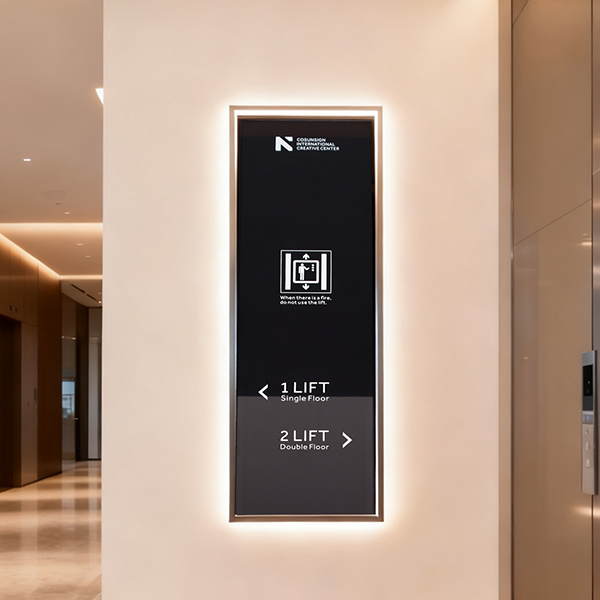
Not every venue needs full-scale digital deployments. Printed tactile signage still plays a vital role in accessible navigation, and temporary events may prefer modular LED display panels. Evaluate hybrid models: fixed printed maps plus a few networked digital nodes for live updates. That approach balances capital outlay with operational flexibility.
Advisory: three golden rules for choosing wayfinding systems
1) Measure total cost of ownership, not headline price. Include installation, CMS licenses, maintenance and spares.
2) Validate in-situ. Test signage at scale during real operating conditions to confirm readability and routing behavior.
3) Prioritize interoperability. Ensure displays work with your building management, emergency broadcast systems, and analytics tools for ongoing optimization.
These rules give you clear, actionable metrics to judge proposals and keep user experience consistent. Final thought: seasoned teams combine human-centered design with ISO-certified engineering to create systems that simply work — and that balance is exactly what Cosun Sign delivers. —